
Hidden files are one of the main reasons smartphone storage seems to disappear faster than expected. Even when you do not save many photos, videos, or apps, your phone still creates background data every day. Cache files, system logs, message attachments, thumbnails, and leftover app folders quietly build up over time. Because many of these files stay out of sight, users often notice the problem only when storage warnings appear. Understanding what these hidden files are and where they come from makes it much easier to manage space and keep your phone running smoothly.
Apps constantly store temporary files to load faster and reduce repeated downloads. Streaming apps, shopping apps, maps, and photo editors often keep cached images, previews, search data, and session files in the background. Over time, this temporary data can grow into several gigabytes without obvious signs. Although cache helps performance, old cached files often remain long after they stop being useful. Clearing app cache regularly can free storage quickly without deleting your accounts, settings, or important personal content from your phone.
Browsers and social media apps are major storage users because they save website images, autoplay video data, profile pictures, and recently viewed content for quicker access. Every scroll, search, and tap can add more hidden files. These apps may also store drafts, cookies, and temporary login data. Since people use them many times a day, their cache expands rapidly. If your storage keeps shrinking for no clear reason, checking browser and social media cache is often one of the fastest ways to recover space.
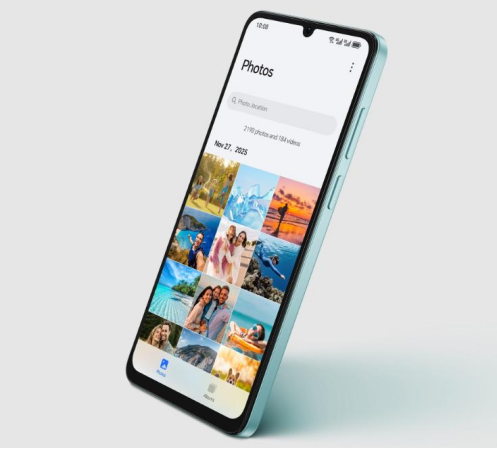
Your phone’s operating system creates logs, diagnostic records, and update packages in the background to support stability and troubleshooting. After software updates, installation files may remain stored even when they are no longer needed. Crash reports and maintenance logs can also accumulate over weeks or months. These files are usually hidden from regular file views, so storage loss feels unexplained. On a device such as the HONOR X6d 5G phone, 256GB of PC-grade storage can hold up to 56,800 or more photos and supports up to 1TB MicroSD expansion.

Beyond visible apps and photos, smartphones keep residual data that supports accounts, permissions, background services, and saved preferences. Some of this information is necessary, but outdated fragments can remain after app updates or feature changes. Databases, offline settings, and synced content may continue occupying space even when users no longer need them. Because this storage is grouped under broad labels such as system data, it often looks unclear or inaccessible. Reviewing storage categories regularly helps identify unusual growth before it becomes a larger problem.
Messaging apps often download photos, voice notes, stickers, videos, documents, and forwarded files automatically. In active group chats, this hidden media grows quickly, especially when duplicate images and repeated clips circulate across multiple conversations. Even deleted messages may leave saved attachments in local folders or backups. Because these files are stored inside app directories, many users do not notice them until storage runs low. Checking chat media management tools and disabling automatic downloads can prevent messaging apps from quietly consuming large amounts of storage.
Your phone creates thumbnail images for gallery previews, video listings, and file browsing so content loads faster. These tiny files seem harmless, but large media libraries can generate thousands of them. Offline content also adds hidden storage use. Saved playlists, downloaded episodes, navigation maps, and reading lists often remain on the device after they are forgotten. Because they are tucked inside app storage rather than obvious folders, they are easy to miss. Removing unused offline files and rebuilding excess thumbnails can reclaim valuable space efficiently.
Download folders often become long-term storage traps. PDF files, images, installation packages, memes, and shared documents stay on the phone long after their purpose is gone. Duplicate copies also appear when the same file is downloaded multiple times or saved through different apps. Because these files sit quietly outside daily use, they often escape attention during manual cleanup. Sorting downloads by size or date makes it easier to find old items quickly. Removing duplicates and outdated files can free a surprising amount of storage.
Deleting an app does not always remove every related file. Some folders, cached media, saved documents, and configuration data can remain behind after uninstallation. Games and editing apps are especially likely to leave extra assets or exported files in storage. These leftovers serve no useful purpose but continue occupying space silently. Over months of installing and removing apps, the total can become significant. A file manager or storage cleanup tool can help locate orphaned folders and erase data that no longer belongs to any active app.
Hidden files consume smartphone storage by building up in small, mostly invisible ways. Cache, system logs, chat attachments, thumbnails, forgotten downloads, and uninstall leftovers all contribute to the feeling that storage disappears on its own. The good news is that these files can usually be found and managed with regular checks in storage settings, app tools, and download folders. Clearing unnecessary data improves available space and can also help overall performance. When you understand where hidden storage use comes from, keeping your phone organized becomes much simpler.
Copyright © 2023 infomorespace.com. All rights reserved.